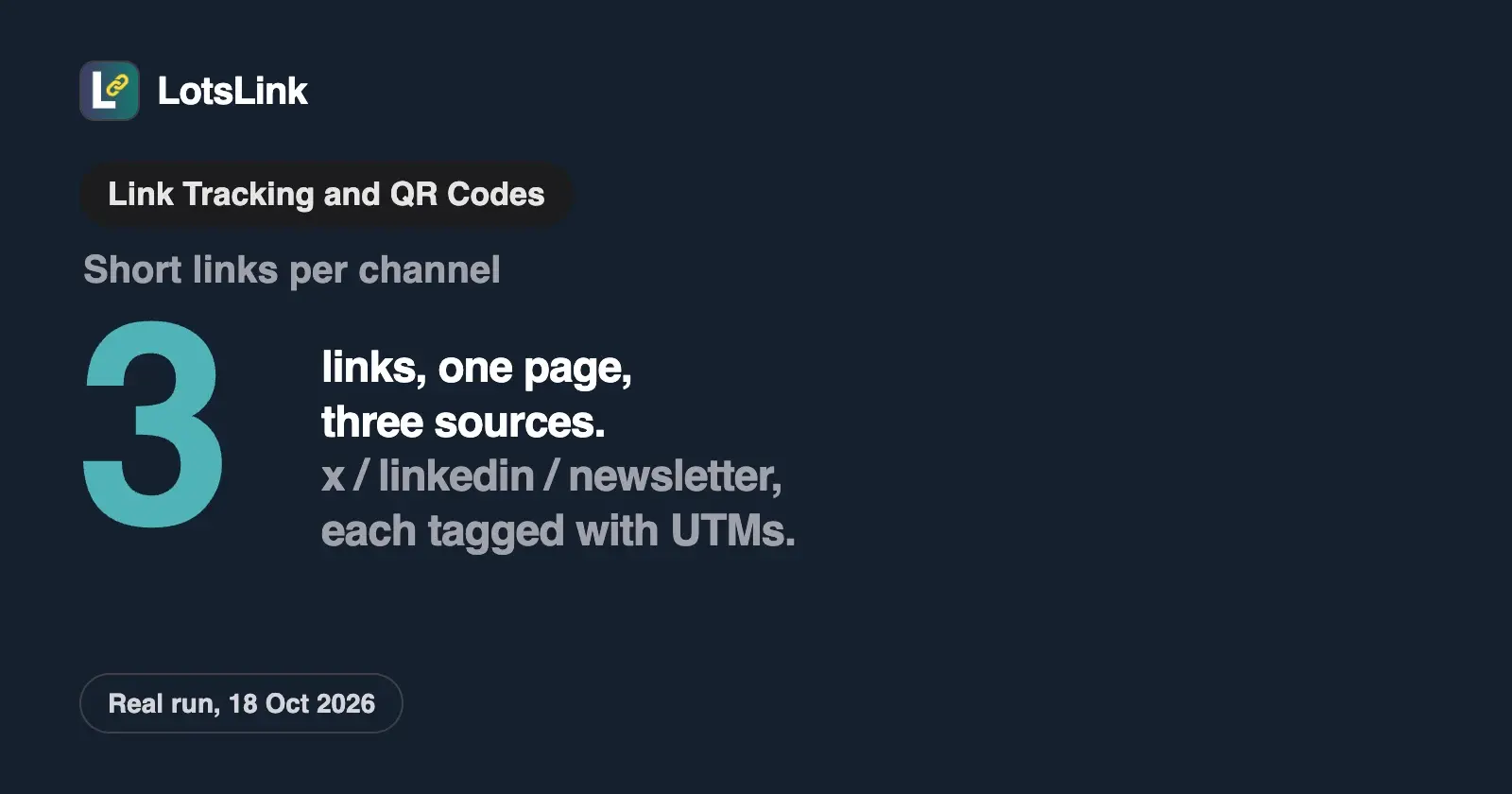
To track link clicks by channel, give every channel its own short link, and set UTM tags on each one: utm_source for the platform, utm_medium for the channel type and utm_campaign for the campaign. The short link counts every click with device, country and referrer. The UTM tags tell your website analytics where the visit came from.
You need both, because each sees something the other can't. The short link counts the click at the redirect, before your page loads. Your analytics sees what the visitor did after landing, but only if your tracking script runs. Tag once, share the right link in the right place, and the two reports line up by channel.
I ran this end to end on 18 October 2026 through the LotsLink MCP server: three short links to the same page, one each for X, LinkedIn and a newsletter, then read the stored tags and analytics back and deactivated the test links. The prompts and real output are below.
What UTM parameters are
UTM parameters are tags you add to the end of a URL, after a ?, so analytics tools know which campaign sent a visit. Google Analytics' own help page on collecting campaign data with custom URLs lists them. Checked on 18 October 2026:
| Parameter | What it's for | Google's examples |
|---|---|---|
utm_source | The referrer: the platform or list that sent the visit | google, newsletter4, billboard |
utm_medium | The marketing medium | cpc, banner, email |
utm_campaign | The product, slogan or promo | spring_sale |
utm_content | Tells apart creatives or two links in the same message | toplink |
utm_term | Paid keyword | |
utm_id | Campaign ID, for matching uploaded cost data | |
utm_source_platform | The buying or organic platform behind the traffic | Search Ads 360 |
Google also lists utm_creative_format and utm_marketing_tactic, with the note that neither is currently reported in Google Analytics properties. Three rules from the same page matter most:
- Always set
utm_source,utm_mediumandutm_campaign. Google says missing UTM parameters show up as(not set)in reports. - Values are case sensitive.
utm_source=googleandutm_source=Googleare two different sources. Google recommends lowercase. - Where to see them: Acquisition, then Traffic acquisition, with Session source/medium, Session medium, Session source and Session campaign.
A naming convention that keeps channels apart
Google's UTM best-practice table boils down to one value per thing: one utm_source per platform, one utm_medium per channel, and one campaign name per campaign, spelled the same everywhere. Here's the convention I use:
| Where the link goes | utm_source | utm_medium | utm_campaign |
|---|---|---|---|
| Post on X | x | social | utm-guide-test |
| Post on LinkedIn | linkedin | social | utm-guide-test |
| Newsletter | newsletter | email | utm-guide-test |
| Paid LinkedIn ad | linkedin | paid_social | utm-guide-test |
| Text message | sms | sms | utm-guide-test |
| QR code on a flyer | flyer | qr | utm-guide-test |
The medium values aren't arbitrary. Google Analytics sorts traffic into its default channel groups by rules on source and medium. As of 18 October 2026:
- Email needs source or medium
email(ore-mail,e_mail,e mail). - Organic Social matches a known social site as the source, or the medium
social,social-network,social-media,sm,social networkorsocial media. - Paid Social needs a social site as the source and a medium that contains
cp, isppcorretargeting, or starts withpaid. - SMS needs source or medium exactly
sms. Referral takes mediumreferral,apporlink.
So utm_medium=newsletter lands outside the Email channel, while email lands inside it. Pick mediums from those rules and your channel report sorts itself. The same page now lists an AI Assistant channel for visits from ChatGPT, Gemini, Deepseek, Copilot and Grok, which you get without tagging anything.
The real run: three channels, one page
I asked my agent (connected to LotsLink over MCP, setup on lots.link/mcp):
In my LotsTech workspace, create three short links to https://www.lotstech.com/mcp/lots-link with campaign
utm-guide-test: one for X (sourcex, mediumsocial, slugutm-guide-x), one for LinkedIn (sourcesocial, slugutm-guide-linkedin) and one for my newsletter (sourcenewsletter, mediumutm-guide-newsletter).
The agent called lotslink_create_link three times. Here's the newsletter one, trimmed:
{
  "success": true,
  "short_url": "https://lots.link/utm-guide-newsletter",
  "link": {
    "final_slug": "utm-guide-newsletter",
    "original_url": "https://www.lotstech.com/mcp/lots-link?utm_source=newsletter&utm_medium=email&utm_campaign=utm-guide-test",
    "utm_source": "newsletter",
    "utm_medium": "email",
    "utm_campaign": "utm-guide-test",
    "utm_term": null,
    "utm_content": null,
    "click_count": 0,
    "is_active": true
  }
}
The other two came back the same way, at lots.link/utm-guide-x and lots.link/utm-guide-linkedin. LotsLink fills in the UTM part of the destination for you, so you never paste a long tagged URL anywhere. The UTM fields work as a free UTM builder that also stores the tags on the link.
Then I asked: "Show me the stored UTM tags on the newsletter link." The agent called lotslink_get_link:
{
  "final_slug": "utm-guide-newsletter",
  "utm_source": "newsletter",
  "utm_medium": "email",
  "utm_campaign": "utm-guide-test",
  "click_count": 0,
  "is_active": true,
  "tags": []
}
To see what a visitor's browser gets, I sent a HEAD request to the LinkedIn link (LotsLink doesn't count HEAD requests, so this adds no click):
HTTP/2 307
location: https://www.lotstech.com/mcp/lots-link?utm_source=linkedin&utm_medium=social&utm_campaign=utm-guide-test
cache-control: no-store
One short URL in the post, the full tagged URL at the destination. Next prompt: "How many clicks did the LinkedIn link get in the last 7 days, by country, device and referrer?" The agent called lotslink_get_link_analytics:
{
  "metrics": { "totalClicks": 0, "clicksInPeriod": 0, "avgClicksPerDay": 0, "peakDay": null },
  "geography": { "countries": [], "cities": [] },
  "devices": { "desktop": 0, "mobile": 0, "tablet": 0, "unknown": 0 },
  "referrers": { "top": [] },
  "timeline": []
}
Zero clicks, which is correct: these were test links and I didn't share them anywhere. Once a link is out in a post, the same call fills in the timeline, countries, cities, devices and referrers. For a run with a real click recorded, see how to track QR code scans.
Last prompt: "Deactivate the three utm-guide links." The agent called lotslink_bulk_deactivate_links:
{ "success": true, "message": "Successfully deactivated 3 links", "count": 3 }
A request to lots.link/utm-guide-x returned 410 a few seconds later. Deactivated links keep their tags and analytics and can be turned back on. I deactivate rather than delete, so history stays.
One short link per channel, or one link with UTMs?
You can tag a single URL and paste it everywhere, but it can only carry one source. Post the newsletter-tagged link on LinkedIn and LinkedIn visits show up as email.
| One tagged link everywhere | One short link per channel | |
|---|---|---|
| Which channel sent the visit | Wrong for every channel but one | Right, because each link carries its own tags |
| Click count per channel | No | Yes, in each link's analytics |
| Counts clicks when your site's analytics doesn't run (blocked script, declined consent, the visitor leaves before the page loads) | No | Yes, the click is recorded at the redirect |
| What people see in the post | A long URL with ?utm_ tags | A short, clean URL |
| Effort | One link | One link per channel, a few seconds each from an agent |
My rule: one short link per channel per campaign, and per placement when it matters (two links in the same newsletter get different utm_content values or separate links). Creating them costs nothing on LotsLink: links, clicks, QR codes and analytics are free and unlimited, with up to 1,000 new links per person in any 24 hours.
What short-link data adds to your analytics
The short link and your website analytics measure different moments, so their numbers won't match, and that's useful.
| Short link (LotsLink) | Website analytics (for example Google Analytics) | |
|---|---|---|
| When it measures | At the redirect, before your page loads | After the page loads and the tag fires |
| What it sees | Clicks, time, country and city (approximate), device type, referrer | Sessions, engagement, pages viewed, key events such as sign-ups |
| Channel | Known from which link was clicked | Read from the UTM tags |
| Counts bots | No: known bots, link previews, prefetches and HEAD requests are left out | Has its own filtering |
| Unique people | No: LotsLink stores no IP address or visitor ID | Users, by its own method |
How to read them together:
- Clicks above sessions is normal. People close the tab before the page loads, block scripts or decline your consent banner. A big gap on one channel is worth a look, for example a slow page on mobile.
- The referrer fills in what UTMs can't say. Your UTM tag says
linkedin. The referrer column says whether the click came from linkedin.com, a mobile app (which often sends no referrer, so it shows asdirect) or somewhere the link was reshared. - Device and country per channel help you decide where to put effort, before anyone converts.
- Conversions stay in your analytics. A short link doesn't see sign-ups or purchases; the UTM tags carry the channel there so it can.
Mistakes that break channel tracking
UTM tags on internal links. Tagging a banner on your own homepage with utm_source=homepage overwrites the real source. In Google Analytics 4, Google's traffic-source dimensions page says a new campaign in the middle of a session doesn't start a new session (Universal Analytics used to start one); instead, the new values attach to the events where they were collected and feed event-based attribution. So the session still says LinkedIn, but a sign-up after the banner click can be credited to "homepage". Keep UTMs for links that point to your site from outside it. For internal clicks, use events.
Mixed case and synonyms. LinkedIn, linkedin and li are three sources in your reports. Pick lowercase and one spelling, and write the list down.
Missing medium or campaign. Missing values show as (not set). Set all three every time; an agent with your naming table won't forget.
Mediums Google doesn't recognise. newsletter or blast as a medium falls outside the Email channel. Use email.
Personal data in tags. Don't put email addresses or names in UTM values. They end up in reports that everyone with access can read.
Changing a slug after sharing. On LotsLink, changing a slug changes the public URL, and the old one stops working. Make a new link instead.
Shortening a short link. LotsLink refuses to shorten a lots.link URL. Shorten the tagged destination page instead.
Tracking link clicks for free
All of this works on a free account. On LotsLink, short links, clicks, QR codes and analytics are free and unlimited, and the UTM fields fill in the tags for you. Your agent can create the links, read analytics and export click records as CSV or JSON over MCP or the REST API, also free. If you'd rather tag a URL by hand, Google's own Campaign URL Builder is free too.
The only paid part is optional: your own domain, so links read go.yourbrand.com/linkedin instead of lots.link/.... That's $4 per domain a month from credits, or Starter at $9 a month for 3 domains, and new accounts get 4,000 free credits valid for 90 days, no card. Details are on the pricing page. For how LotsLink's free analytics compare with other shorteners, see the best free URL shorteners with analytics.
Common questions
How do I track link clicks?
Send the link through a short link. Every click passes through the redirect and is recorded with time, device, approximate location and referrer. Use one short link per channel and add UTM tags so your website analytics also knows where each visit came from.
How can I track link clicks for free?
Create short links on LotsLink: links, clicks, QR codes and click analytics are free and unlimited. Set utm_source, utm_medium and utm_campaign in the link's UTM fields, and Google Analytics shows those visits in its Traffic acquisition report.
Is there a free UTM builder?
Yes. Google's Campaign URL Builder is free. LotsLink's UTM fields work as a builder too: fill in source, medium and campaign when you create a short link, and the tags are added to the destination and stored on the link.
Should I use UTM parameters on internal links?
No. In Google Analytics 4 a new campaign mid-session doesn't start a new session, but the new values attach to later events and feed event-based attribution, so a sign-up can be credited to your own page instead of the real channel. Use events for internal clicks.
Why do my short-link clicks not match Google Analytics sessions?
They measure different moments. The short link counts the click at the redirect; analytics counts a session only once the page loads and its tag runs. Closed tabs, blocked scripts and declined consent all cut sessions, so clicks are usually higher.
Can my AI agent create UTM-tagged short links?
Yes. Connect LotsLink to Claude, ChatGPT or another MCP client and ask in plain words. The agent calls lotslink_create_link with your UTM values, then lotslink_get_link_analytics to read clicks by country, device and referrer. Setup is on lots.link/mcp.
Start with your next post
Before you share your next post, make one short link for each place it goes, with the source and medium from the table above. If you want your agent to do it, the step-by-step setup for each client is in how to create and track short links from Claude or ChatGPT.
Create your first tracked link on LotsLink, or connect your agent.