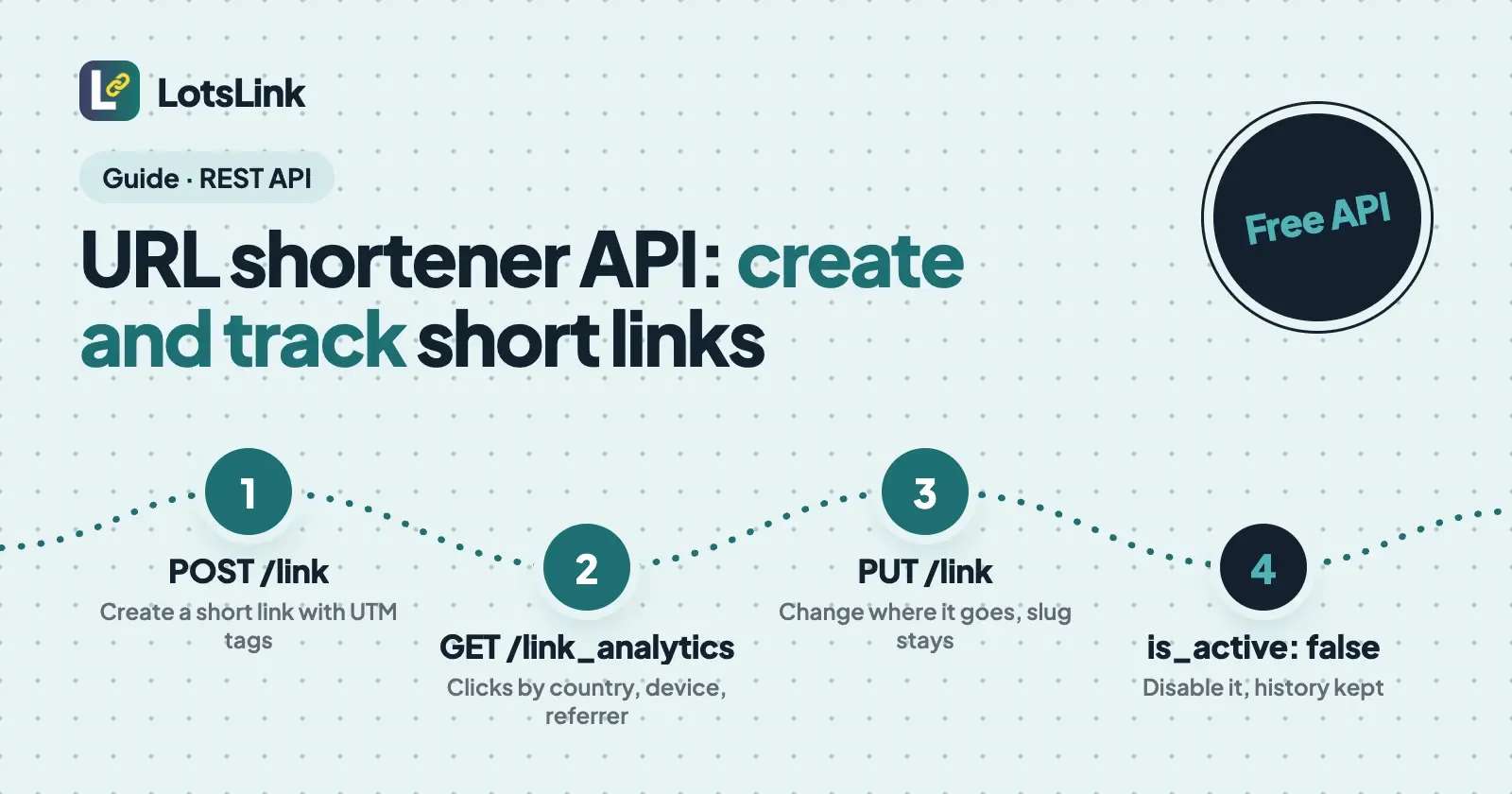
LotsLink's REST API lets your own code create short links, read their clicks and switch them off, free on every account. Send POST /api/v1/lotslink/link to create a link, GET /api/v1/lotslink/link_analytics/:id to read its clicks, and PUT /api/v1/lotslink/link/:id with is_active: false to disable it. Links, clicks and API calls cost nothing.
I ran this flow on 22 October 2026 in my own workspace: created a link with UTM tags, opened it from a desktop and a phone browser, read the analytics and the click records, changed the destination, then disabled the link. The calls went through LotsLink's MCP connection, which runs the same tools the REST endpoints call, and I checked the redirects and the error response with curl. The data below is from that run, in the REST response format, with keys taken out.
What you need
- An API key. Open https://www.lotstech.com/api, click "Manage API keys", sign in with your Lots account, choose LotsLink and create a key. It's shown once. You can also make one at https://api.lots.link/dashboard.
- Base URL:
https://api.lots.link. Send the key asAuthorization: Bearer <key>orX-API-Key: <key>. - Limits: 100 requests a minute per key by default, with
X-RateLimit-Limit,X-RateLimit-RemainingandX-RateLimit-Resetheaders on every response. Links themselves have one guardrail: up to 1,000 new links per person in any rolling 24 hours. - Cost: short links on lots.link, clicks, QR codes, analytics and the API are free and unlimited. You pay only if you put links on your own domain ($4 a month per domain, or $9 a month for 3; see pricing).
Keep the key in an environment variable, never in your code:
export LOTSLINK_API_KEY="paste-your-key-here"
Every response has the same shape: {"success": true, "data": {...}, "meta": {"timestamp": ...}}, or {"success": false, "error": {"code": ..., "message": ...}}. Here's what a call without a key returned on 22 October 2026:
{
  "success": false,
  "error": {
    "code": "AUTHENTICATION_REQUIRED",
    "message": "Authentication required. Provide an API key via Authorization header or be logged in with a valid session."
  }
}
That came back as HTTP 401. A wrong parameter is VALIDATION_ERROR (400), and too many requests is RATE_LIMIT_EXCEEDED (429).
Step 1: Find your workspace ID
Every link lives in a workspace, so get its ID first:
curl -s https://api.lots.link/api/v1/lotslink/workspaces \
  -H "Authorization: Bearer $LOTSLINK_API_KEY"
Copy the id of the workspace you want and keep it as WORKSPACE_ID. Workspaces are free and unlimited, so a separate one per client or app is fine.
Step 2: Create a short link
POST /api/v1/lotslink/link needs workspace_id and original_url. Everything else is optional: custom_slug (7 to 40 characters), the five UTM fields, expires_at, project_id, and custom_domain_id for a verified domain of your own.
curl -s -X POST https://api.lots.link/api/v1/lotslink/link \
  -H "Authorization: Bearer $LOTSLINK_API_KEY" \
  -H "Content-Type: application/json" \
  -d '{
    "workspace_id": "'"$WORKSPACE_ID"'",
    "original_url": "https://example.com/docs/api-demo",
    "custom_slug": "api-demo-1022",
    "utm_source": "app",
    "utm_medium": "api",
    "utm_campaign": "api-demo"
  }'
The same call with fetch in Node 18 or later:
const BASE = "https://api.lots.link/api/v1/lotslink";
const headers = {
  Authorization: `Bearer ${process.env.LOTSLINK_API_KEY}`,
  "Content-Type": "application/json",
};

const res = await fetch(`${BASE}/link`, {
  method: "POST",
  headers,
  body: JSON.stringify({
    workspace_id: process.env.WORKSPACE_ID,
    original_url: "https://example.com/docs/api-demo",
    custom_slug: "api-demo-1022",
    utm_source: "app",
    utm_medium: "api",
    utm_campaign: "api-demo",
  }),
});
const { success, data, error } = await res.json();
if (!success) throw new Error(`${error.code}: ${error.message}`);
console.log(data.short_url, data.link.id);
What came back in my run (trimmed):
{
  "success": true,
  "data": {
    "link": {
      "id": "4210c28b-4399-4160-b9f2-2e50e60edc30",
      "original_url": "https://example.com/docs/api-demo?utm_source=app&utm_medium=api&utm_campaign=api-demo",
      "final_slug": "api-demo-1022",
      "click_count": 0,
      "is_active": true,
      "utm_source": "app",
      "utm_medium": "api",
      "utm_campaign": "api-demo",
      "created_at": "2026-10-22T02:03:10.228724+00:00"
    },
    "short_url": "https://lots.link/api-demo-1022",
    "message": "Link created successfully"
  }
}
Two things to notice. The UTM tags are added to the destination for you, so your website analytics sees utm_source=app without you building the query string. And data.link.id is what every later call uses, so store it next to whatever the link belongs to in your app.
The short link answered straight away:
$ curl -s -o /dev/null -w "%{http_code} -> %{redirect_url}\n" https://lots.link/api-demo-1022
307 -> https://example.com/docs/api-demo?utm_source=app&utm_medium=api&utm_campaign=api-demo
To print it, POST /api/v1/lotslink/link/:link_id/qr_code returns a PNG of the short URL (150 to 1024 pixels), and scans count as clicks on the same link.
Step 3: Read the clicks
I opened the link three times: once with plain curl, once with a desktop Chrome user agent and a referrer, and once with an iPhone Safari user agent. Then I asked for the analytics:
curl -s "https://api.lots.link/api/v1/lotslink/link_analytics/$LINK_ID?workspace_id=$WORKSPACE_ID&days=7" \
  -H "Authorization: Bearer $LOTSLINK_API_KEY"
{
  "success": true,
  "data": {
    "analytics": {
      "metrics": {
        "totalClicks": 2,
        "clicksInPeriod": 2,
        "avgClicksPerDay": 0.29,
        "peakDay": { "date": "2026-10-22", "clicks": 2 }
      },
      "geography": {
        "countries": [{ "country": "US", "clicks": 2, "percentage": 100 }],
        "cities": [{ "city": "Seattle", "country": "US", "clicks": 2 }]
      },
      "devices": { "desktop": 1, "mobile": 1, "tablet": 0, "unknown": 0 },
      "referrers": {
        "top": [
          { "referrer": "https://example.com/newsletter", "clicks": 1 },
          { "referrer": "direct", "clicks": 1 }
        ]
      },
      "timeline": [{ "date": "2026-10-22", "clicks": 2 }],
      "destination_changes": []
    }
  }
}
Three requests, two clicks. The plain curl request wasn't counted, because LotsLink leaves out known bots, link previews, prefetches and HEAD requests. That matters when you test: open your link from a real browser, or your numbers will look lower than you expect. It also means a link preview in Slack or a crawler doesn't inflate your count.
days takes 1 to 365 and timezone takes a name such as Europe/London for the daily timeline. LotsLink doesn't store visitor IP addresses, so the count is clicks, not unique people.
For one row per click, use the click records:
curl -s "https://api.lots.link/api/v1/lotslink/click_details/$LINK_ID?workspace_id=$WORKSPACE_ID&limit=50" \
  -H "Authorization: Bearer $LOTSLINK_API_KEY"
Each record has clicked_at, country, city, device_type, referrer and the user agent, and ip_address was null on both of mine. You can filter by date, country or device and page through with page and limit. For a whole workspace, GET /api/v1/lotslink/workspace_analytics/:id gives the same breakdown across every link.
Step 4: Change where it goes (optional)
Links are editable. PUT /api/v1/lotslink/link/:link_id with a new original_url keeps the slug, the short URL and any printed QR code, and the click history stays on the link:
curl -s -X PUT "https://api.lots.link/api/v1/lotslink/link/$LINK_ID" \
  -H "Authorization: Bearer $LOTSLINK_API_KEY" \
  -H "Content-Type: application/json" \
  -d '{"workspace_id": "'"$WORKSPACE_ID"'", "original_url": "https://example.com/docs/api-demo-v2"}'
My run returned "destination_changed": true and "redirect_cache": "expires_within_a_minute", and the UTM tags from creation were added to the new URL because it didn't set its own. GET /api/v1/lotslink/link/:id then listed the change in destination_changes:
"destination_changes": [
  {
    "previous_url": "https://example.com/docs/api-demo?utm_source=app&utm_medium=api&utm_campaign=api-demo",
    "new_url": "https://example.com/docs/api-demo-v2?utm_source=app&utm_medium=api&utm_campaign=api-demo",
    "changed_by": "<your user id>",
    "changed_at": "2026-10-22T02:03:30.997969+00:00"
  }
]
That's an audit trail you don't have to build yourself. The same list comes back with the link's analytics.
Step 5: Disable the test link
When you're done testing, switch the link off instead of deleting it. It stops redirecting, but the link and its clicks stay in your workspace and you can turn it back on later:
await fetch(`${BASE}/link/${linkId}`, {
  method: "PUT",
  headers,
  body: JSON.stringify({ workspace_id: process.env.WORKSPACE_ID, is_active: false }),
});
My test link returned 410 within a minute of that call:
$ curl -s -I -o /dev/null -w "%{http_code}\n" https://lots.link/api-demo-1022
410
Send is_active: true to bring it back, and GET /api/v1/lotslink/links?status=inactive lists what's off.
Every endpoint you'll use day to day
| What you want | Method and path | Required |
|---|---|---|
| List workspaces | GET /api/v1/lotslink/workspaces | |
| Create a link | POST /api/v1/lotslink/link | workspace_id, original_url |
| List or search links | GET /api/v1/lotslink/links | workspace_id |
Get one link (with destination_changes) | GET /api/v1/lotslink/link/:id | workspace_id |
| Change destination, slug, expiry, project or on/off | PUT /api/v1/lotslink/link/:link_id | workspace_id |
| Make a QR code | POST /api/v1/lotslink/link/:link_id/qr_code | workspace_id |
| Link analytics | GET /api/v1/lotslink/link_analytics/:id | workspace_id |
| Click records | GET /api/v1/lotslink/click_details/:id | workspace_id |
| Workspace analytics | GET /api/v1/lotslink/workspace_analytics/:id | workspace_id |
| Custom domains | GET /api/v1/lotslink/custom_domains | workspace_id |
The full reference, with every parameter, is at https://api.lots.link/docs.md (or the browsable version at https://api.lots.link/docs).
API or MCP?
Use the REST API when your own code makes the links: a signup flow that gives each user a referral link, a CMS that shortens every new article, a script that tags a whole campaign. Use MCP when a person asks for links in plain words: connect https://api.lots.link/mcp to Claude, ChatGPT or a coding agent and say "make a short link for the launch page with utm_source=newsletter". Both run the same tools, so a link your code creates shows up for your agent and in the dashboard, and the other way round. The agent side is in how to create and track short links from Claude or ChatGPT, and setup for each agent is on lots.link/mcp.
If you're tagging links per channel, how to track link clicks by channel with UTM and short links covers naming, and dynamic vs static QR codes shows the destination change from the QR side. If you want your API links on your own domain, free URL shorteners with a custom domain compares what each tool charges for it.
Common questions
Is there a free URL shortener API?
Yes. LotsLink's REST API is free on every account, with unlimited short links, clicks, QR codes and analytics. The default rate limit is 100 requests a minute per key, and you can create up to 1,000 new links per person in any rolling 24 hours. You pay only for your own custom domains.
How do I get a LotsLink API key?
Open https://www.lotstech.com/api, click "Manage API keys", sign in with your Lots account, choose LotsLink and create a key. It's shown once, so store it in an environment variable or a secret manager. Send it as Authorization: Bearer <key> or X-API-Key: <key>.
Can I create short links on my own domain through the API?
Yes. Add and verify the domain in the dashboard or through your agent (a DNS-only CNAME to customers.lots.link), then pass its custom_domain_id when you create a link. GET /api/v1/lotslink/custom_domains lists the IDs. A custom domain is $4 a month on pay as you go, or $9 a month for 3 on Starter. Links on lots.link and your free lots.link subdomain stay free.
Why doesn't my test click show up in the analytics?
LotsLink leaves out known bots, link previews, prefetches and HEAD requests. In my run, a plain curl request wasn't counted, while the same link opened with a browser user agent was. Test from a real browser or phone.
Can I change where a short link goes after creating it?
Yes. Send PUT /api/v1/lotslink/link/:link_id with a new original_url. The short URL and any QR code stay the same, clicks stay on the link, the change reaches visitors within a minute, and destination_changes records the old and new address with the time.
How do I delete a test link?
Disable it instead: send is_active: false to the same update endpoint. The link stops redirecting (it returned 410 in my run) but keeps its click history, and is_active: true brings it back. A delete endpoint exists too, but it can't be undone.