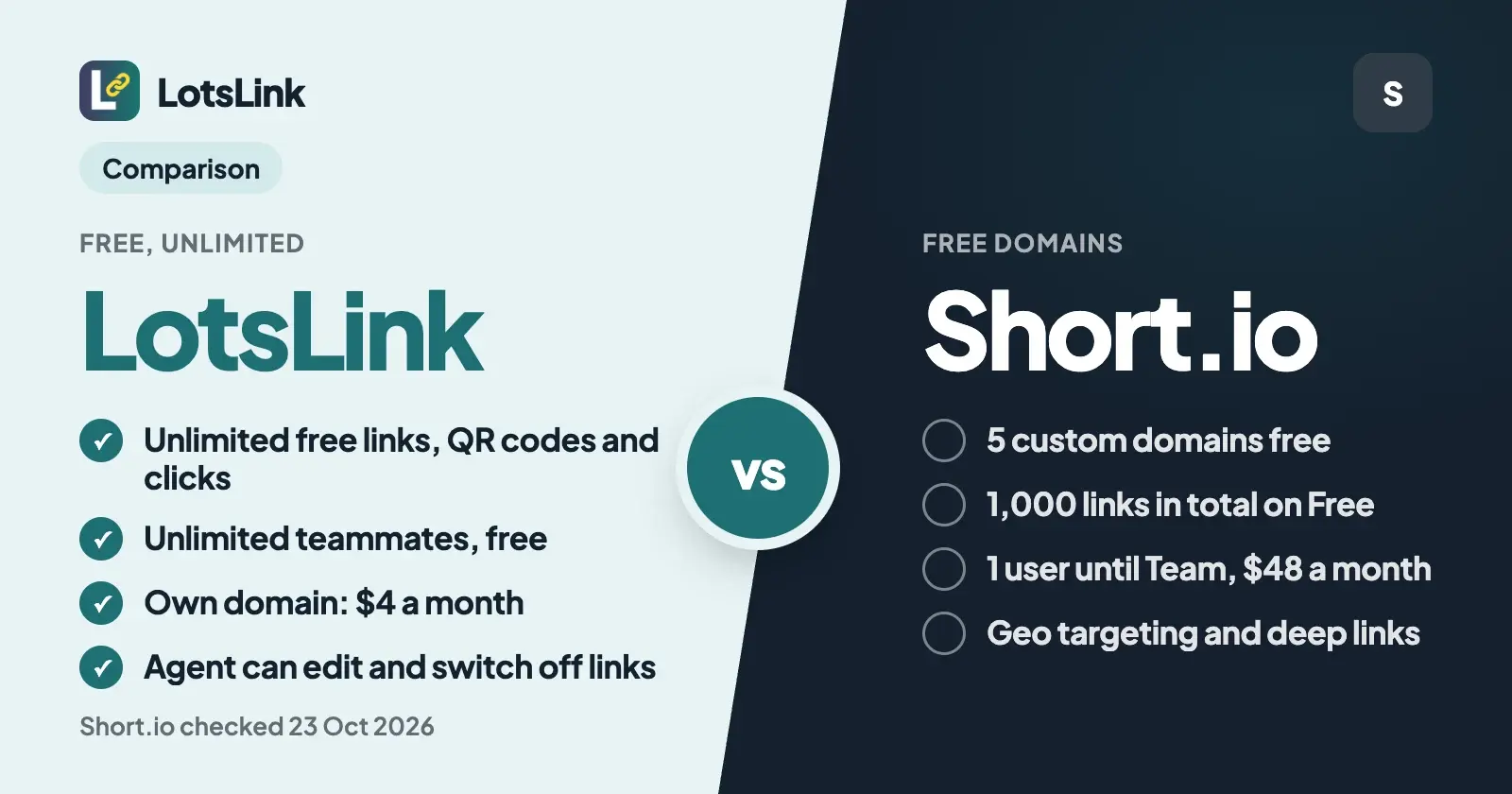
Short.io's free plan gives you 5 custom domains, 1,000 branded links over the life of the account and one user. LotsLink gives you unlimited short links, QR codes, click analytics and teammates for free, and charges only for your own domain: $4 a month, or $9 a month for three. Both have a dashboard and an MCP server for ChatGPT and Claude.
If you'll make more than a thousand links, work with teammates or clients, or want your agent to change and switch off links as well as create them, LotsLink fits. If you want several branded domains free for a small number of links, or need geo targeting, mobile deep links or link-in-bio pages, Short.io is a strong choice.
Everything about Short.io below comes from its own pricing page, help docs and MCP announcement, checked on 23 October 2026, with links at the end.
LotsLink vs Short.io at a glance
| LotsLink | Short.io | |
|---|---|---|
| Free plan | Unlimited short links, QR codes, clicks and analytics on lots.link, plus one free lots.link subdomain | 5 custom domains, 1,000 branded links in total, 50,000 tracked clicks a month, 1 user |
| New links | Unlimited (up to 1,000 new links per person in any 24 hours) | Free 1,000 and Hobby 2,500 in total over the account's life, Pro and up unlimited. API and bulk creation have their own allowance: 1,000, 2,500, then 10,000 or 100,000 a year |
| Click analytics | Every recorded click: country, city, device, referrer, daily timeline, individual click records, CSV or JSON export | Statistics for 50,000 clicks a month on Free and 100,000 on Hobby, unlimited from Pro. Redirects are unlimited on every plan |
| Custom domains | Free lots.link subdomain. Your own domain: $4 a month each (pay as you go), or Starter $9 a month for 3, Pro $24 for 10, Business $59 for 30 | 5 on Free, 7 on Hobby, 10 on Pro, 50 on Team, unlimited on Enterprise |
| Teammates | Unlimited and free, with owner, admin, member and viewer roles | 1 user on Free, Hobby and Pro. Unlimited users from Team ($48 a month) |
| Changing a link's destination | Yes, free; the short URL and QR code stay the same, and LotsLink keeps a record of each change | Yes, on every plan |
| QR codes | Unlimited, PNG of the short link, made by you or your agent, scans counted as clicks | On every plan, with colours and logos |
| AI agent access | MCP server (https://api.lots.link/mcp, sign in with OAuth) and REST API on every account. 42 tools in tools.json, checked 23 October 2026 | MCP server (https://ai-assistant.short.io/mcp) connected with an API key. Its docs say the MCP can't edit or delete existing links. API on every plan |
| Targeting and extras | Not offered | Country targeting from Hobby, city and region targeting and mobile deep links from Team; A/B testing, link bundles and link-in-bio posts on every plan |
| Paid plans | $9, $24 or $59 a month (yearly: 10 monthly payments) | Hobby $5, Pro $18, Team $48, Enterprise $148 a month; 17% less billed yearly. 7-day trial on paid plans |
Where LotsLink is the better choice
Unlimited links instead of 1,000 for the life of the account
Short.io sizes its free plan around domains, not links. Free includes 1,000 branded links in total, and its pricing table says these limits are issued once and used over the account's lifetime. Hobby at $5 a month raises that to 2,500 in total. Links you create through the API or bulk import come from a separate allowance of the same size. Unlimited links start on Pro at $18 a month.
On LotsLink, short links, QR codes, clicks and analytics are free and unlimited. The one guardrail is speed: up to 1,000 new links per person in any 24 hours. If you make a link for every newsletter, social post, client report and printed flyer, a thousand links goes faster than it sounds, and you never have to count.
Teammates and clients don't cost a plan upgrade
Short.io's Free, Hobby and Pro plans each include one user. Bringing in a second person means Team at $48 a month, which also adds unlimited users, 50 domains and city targeting.
On LotsLink, workspaces and team members are unlimited and free on every account. Owners and admins manage the workspace, members create links and edit their own, and viewers read the numbers. An agency can keep one workspace per client, invite the client as a viewer and let a freelancer work as a member, all on the free account. I wrote up that setup in link management for agencies.
Your agent can change, switch off and report on links
Both products have an MCP server, so ChatGPT, Claude and other agents can work with your links. The difference is what the agent can do once it's connected.
Short.io's MCP connects with an API key you paste into the client's config. Its help article says the agent can create links, search them and read statistics for links and domains, and that with the current version it can't edit or delete an existing link: you change those by hand in the dashboard.
LotsLink's MCP signs you in with OAuth, so there's no key to paste, and it works as you, with your role. Your agent can create links with custom slugs, UTM tags and expiry dates, change where a link goes, switch links off and on in bulk, make QR codes, add and verify your custom domain, run a workspace per client, invite teammates, and read or export analytics as CSV or JSON. It works with the AI agent you already use, and everything it does shows up in the dashboard, which does the whole job too. Setup for each agent is on lots.link/mcp, and if you'd rather call it from your own code, see the LotsLink URL shortener API.
Every click stays in your reports, with no monthly cap
Short.io redirects every visitor on every plan. What changes by plan is how many clicks you can see: 50,000 a month on Free and 100,000 on Hobby. Its pricing FAQ says that past the free limit it keeps collecting data but restricts what you can see until you upgrade. For most small accounts 50,000 is plenty; it matters when one campaign takes off.
LotsLink has no tracked-click quota. Every account sees country, city, device and referrer for every link, a daily timeline and individual click records, for any period up to 365 days plus the all-time total. Known bots, link previews, prefetches and HEAD requests aren't counted, so the numbers are real opens of your link. You or your agent can export them as CSV or JSON at any time. Short.io's pricing page says you export your links by asking its support team, and raw click data goes to S3 on its top plan.
What it costs for common setups
Short.io's free plan includes 5 custom domains, more than any plan from LotsLink includes for free. If you want several branded domains for a few hundred links and you work alone, Short.io Free is a good deal and I'd say so. Once you make more links or add people, the numbers change:
| You need | LotsLink | Short.io |
|---|---|---|
| 1 own domain, 3,000 links over time, 1 person | $4 a month (pay as you go) | Pro, $18 a month |
| 1 own domain, you plus 2 teammates | $4 a month (pay as you go) | Team, $48 a month |
| 3 own domains, 5 teammates, a link for every post | Starter, $9 a month | Team, $48 a month |
| 10 own domains, 5 teammates | Pro, $24 a month | Team, $48 a month |
You point a DNS-only CNAME at customers.lots.link, LotsLink verifies the hostname and HTTPS certificate, and you keep the domain with your own registrar. For how LotsLink's free subdomain and paid domains compare with every free plan that lets you bring a domain, see free URL shorteners with a custom domain. The full price breakdown is in LotsLink pricing explained, and current plans are on lots.link/pricing.
What Short.io does well
Short.io is a mature branded-link platform, and it does several things LotsLink doesn't try to do:
- Free branded domains. 5 custom domains on Free, 7 on Hobby and 10 on Pro, with SSL from Let's Encrypt and your own redirect for the domain's root and for 404s.
- Routing. Mobile OS targeting on every plan, country targeting from Hobby, city and region targeting and mobile deep links from Team.
- More link types. A/B testing, link bundles and link-in-bio posts on every plan, plus password protection, expiry, cloaking and click limits from Pro.
- Integrations and apps. Zapier, Segment and Slack, browser extensions and mobile and desktop apps, and an import tool for links from other shorteners.
- Team and enterprise features. End-to-end encryption and a 99.9% uptime SLA on Team, and SSO, multiple teams and raw click export to S3 on Enterprise.
- Commercial use on Free. Its FAQ says plainly that the free plan can be used for business links and campaigns.
If you need routing by country or device, deep links into apps or a link-in-bio page, Short.io is built for it. If you need lots of trackable links, QR codes and teammates, run from the dashboard or your agent, LotsLink does that for free or a few dollars.
Which one should you choose?
Choose LotsLink if:
- You'll make more than 1,000 links and want them free and unlimited.
- You work with teammates or clients and don't want to pay for seats.
- You want your agent to change, switch off and report on links, not only create them.
- You want every click in your reports without a monthly cap.
- You want your own domain for $4 a month, or three for $9.
Choose Short.io if:
- You want up to 5 branded domains free and will create fewer than 1,000 links.
- You need country, city or device routing, or mobile deep links.
- You want link-in-bio pages, link bundles or A/B tests in the same tool.
- You need SSO, an uptime SLA or end-to-end encryption.
How to switch from your AI agent
Connect LotsLink to your agent first. The MCP server is https://api.lots.link/mcp, you sign in with OAuth and there's no key to paste. In Claude Code it's one command:
claude mcp add --transport http lots-link https://api.lots.link/mcp
Then give your agent something like this:
In LotsLink, list my workspaces and use my personal one. Add go.example.com as a custom domain and tell me the DNS records to set. When I say the records are in, verify the domain. Then recreate these links on it with the same slugs and UTM tags: [paste your links]. Make a QR code for the event link, invite sam@example.com as a viewer, and next week show me clicks by country, device and referrer for each link.
Behind that prompt the agent uses lotslink_list_workspaces, lotslink_add_custom_domain, lotslink_verify_custom_domain, lotslink_create_link, lotslink_create_qr_code, lotslink_invite_workspace_member and lotslink_get_link_analytics. If Short.io's MCP is connected to the same agent, it can search your Short.io links first and hand over the list.
Three things to know. Custom slugs on LotsLink are 7 to 40 characters (letters, numbers, dash and underscore), so a shorter Short.io slug needs a longer name. Once you point a domain's DNS from Short.io to LotsLink, its old links stop resolving at Short.io, so recreate the ones that matter right after you verify, or start fresh on a new subdomain like go. and leave the old links where they are. And click history stays in Short.io: ask its support for your link export first if you want a copy.
Eligible new accounts get 4,000 free credits, valid 90 days, no card, which covers a custom domain for about a month. Links on lots.link are free from the start.
Common questions
Is Short.io free?
Yes. Short.io's free plan includes 5 custom domains, 1,000 branded links over the account's life, statistics for 50,000 clicks a month and one user, and it allows commercial use. Paid plans start with Hobby at $5 a month. LotsLink is free with unlimited links, QR codes and analytics.
How many custom domains does Short.io give for free?
Five. Short.io's free plan includes 5 custom domains, then 7 on Hobby, 10 on Pro, 50 on Team and unlimited on Enterprise. LotsLink gives one free lots.link subdomain per person and charges $4 a month for each of your own domains, or $9 a month for three.
What happens when I reach 1,000 links on Short.io's free plan?
Short.io's pricing table says branded-link limits are issued once and used over the account's lifetime, so you upgrade to create more: Hobby allows 2,500 and Pro is unlimited. Its FAQ says you can delete links to stay within the limit. LotsLink has no total link cap.
How many users does Short.io allow?
One user on Free, Hobby and Pro, and unlimited users from Team at $48 a month. LotsLink includes unlimited team members on every account, with owner, admin, member and viewer roles.
Does Short.io have an MCP server?
Yes. Short.io's MCP server at https://ai-assistant.short.io/mcp connects with an API key and can create and search links and read statistics. Its docs say it can't edit or delete existing links. LotsLink's MCP server at https://api.lots.link/mcp signs in with OAuth and can also change and switch off links.
Can I move my Short.io links to LotsLink?
Yes. Your agent can recreate each link in LotsLink with the same destination, UTM tags and, on your own domain, the same slug if it's 7 to 40 characters long. Click history stays in Short.io; new clicks are counted in LotsLink from the switch.
More comparisons are on lots.link/compare, including LotsLink vs Dub and Bitly alternatives.
Short.io details checked on 23 October 2026 from short.io/pricing (plan cards, the plan comparison table and the FAQ, USD), Short.io's MCP integration guide and Short.io's MCP announcement. LotsLink details from lots.link/pricing, lots.link/mcp, api.lots.link/docs.md and api.lots.link/tools.json. Prices and features change; check their pages for the latest.