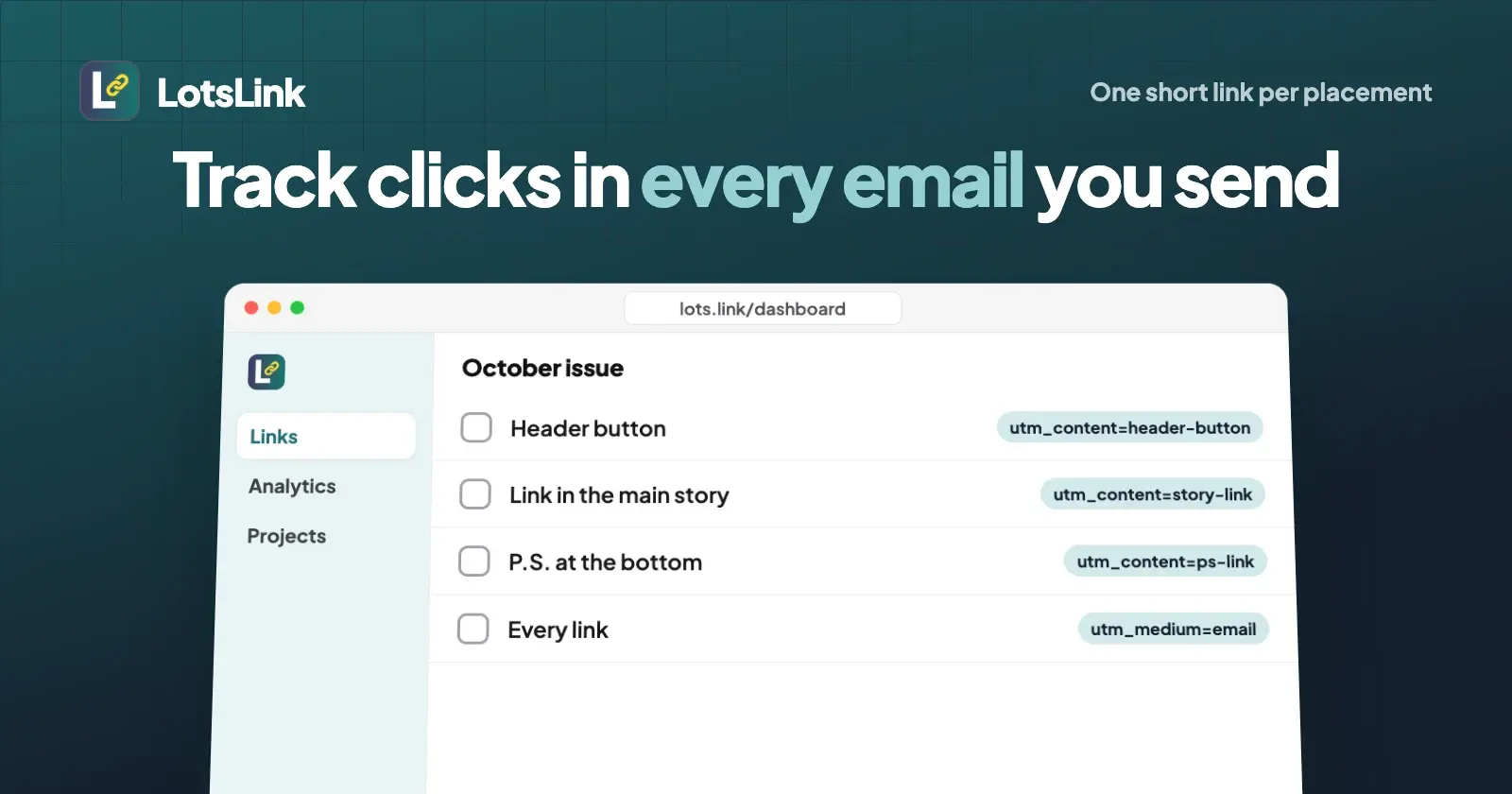
To track link clicks in an email or newsletter, give every link in the message its own short link, and tag each one with utm_source, utm_medium=email, utm_campaign for the issue and utm_content for the placement. Your email platform's report then tells you who clicked, the short link tells you which placement worked on which device, and your website analytics files the visit under Email.
Treat opens as a rough signal and clicks as the number you plan with. Opens are counted by a hidden image that privacy features load or block on the reader's behalf; a click needs a real visit to the link.
I ran this on 23 October 2026 through the LotsLink MCP server: two short links for two placements in one newsletter, a few test clicks, a check of what happens to tags an email platform adds, then I read the analytics back and switched the links off. The real output is below.
What your email platform already tracks
Most email platforms count clicks for you by swapping each link for one of their own. Mailchimp's click tracking guide describes it plainly: when click tracking is on, each link redirects through Mailchimp's servers on the way to your page, and that redirect is logged as a click. It's on by default. Checked on 23 October 2026, the report shows:
- The share of recipients who clicked any tracked link, and which recipients they were.
- The share of people who opened the email and then clicked.
- Total clicks, including repeat clicks by the same person.
- On the Click performance tab, total and unique clicks for each URL in the email.
That's good data about people on your list. What it doesn't tell you is anything outside the email platform: clicks on a forwarded copy or a web archive, the device and country of each click in a form you can compare across tools, or what happened after the page loaded. That's what the short link and UTM tags add.
Why opens and clicks tell different stories
An open is counted when the email loads a tiny invisible image. Mailchimp's open tracking guide says opens can't be tracked in plain-text emails or when images are off, and that a click counts as an open even if the image never loaded. Two things push open counts the other way:
- Privacy protection. Apple's Mail Privacy Protection guide says the feature hides the reader's IP address and prevents senders from seeing whether a message was opened. It also says it doesn't extend to links. Mailchimp's open and click rates guide names it as a source of falsely inflated opens.
- Security scanners. Mailchimp's bot activity guide says anti-spam services, antivirus scans and link preview generators often open emails or click links before your contacts do. Its bot filtering is on by default, and it warns that open and click numbers drop a lot when filtering is on, because what's left is more accurate.
| Opens | Clicks | |
|---|---|---|
| How it's counted | A hidden image loads | A redirect to your page is followed |
| Misses | Plain-text emails, images turned off | Nothing, if the link is tracked |
| Inflated by | Privacy features that load images, scanners, forwards | Scanners that test links, unless filtered |
| What it's good for | Trends in subject lines over time | Which content and placement got a visit |
So when someone asks how a newsletter did, quote clicks per placement, not the open rate.
UTM tags for email: the naming that keeps reports clean
UTM tags tell your website analytics where a visit came from. For email, one detail matters most: Google Analytics files a visit under its Email channel when the source or medium is email (or e-mail, e_mail, e mail), per its default channel group rules, checked on 23 October 2026. utm_medium=newsletter lands outside it.
Here's the naming I use for one issue:
| Placement | utm_source | utm_medium | utm_campaign | utm_content |
|---|---|---|---|---|
| Header button | newsletter | email | october-issue | header-button |
| Link in the main story | newsletter | email | october-issue | story-link |
| P.S. at the bottom | newsletter | email | october-issue | ps-link |
| Welcome email in an automation | newsletter | email | welcome-series | day-1-button |
utm_content is what tells two links in the same email apart. A new utm_campaign per issue keeps each send separate in your reports. I covered the full set of UTM parameters and Google's rules in how to track link clicks by channel with UTM and short links.
Your email platform may add UTM tags for you
Several platforms tag links automatically, each with its own values. Checked on 23 October 2026:
| Platform | What it adds | Your own tags |
|---|---|---|
| Kit | A setting you turn on: "Automatically append UTM parameters to email links". Source kit, medium email, campaign from the subject line and email ID | Kit says it won't override parameters you add, and fills in only missing ones |
| beehiiv | On by default. Source is your publication domain, medium Email (or Referral when read online), campaign from the post title | Manually added source, medium and campaign take precedence |
| Mailchimp | Google Analytics tracking you switch on per email, with a campaign title from the email name and date | Its guide says Google Analytics won't track redirects that don't contain Google Analytics code, and recommends direct links |
Two things follow. Automatic tags name the platform, not the placement, so you still need utm_content per link. And if you put a short link in the email, what reaches your site is the short link's own tags, as the run below shows.
One short link per placement
Each placement gets its own short link, with its own tags. It takes seconds, and it gives you things the email platform can't:
- Per-placement clicks with device, country and referrer, in one place, whichever email platform you send from.
- Clicks outside the email: forwarded copies, web archives, people who copy the link into a chat.
- A destination you can still change. You can't edit an email after it's sent. With LotsLink you can change where a short link goes; the short URL stays the same, so the button in the sent email now opens the new page. LotsLink records each change.
- Your tags, not the platform's. The tags live on the short link, so they stay the same if you change email tools.
On LotsLink this costs nothing: short links, clicks, QR codes and click analytics are free and unlimited, with up to 1,000 new links per person in any 24 hours.
The real run: two placements, one newsletter
I connected LotsLink to my agent over MCP (setup for each agent is on lots.link/mcp; it works with the AI agent you already use, and the dashboard does all of this too) and asked:
In my LotsTech workspace, create two short links to https://example.com/newsletter/october-offer for my October newsletter, source
newsletter, mediumoctober-issue: one for the header button (contentheader-button, slugemail-demo-button-1023) and one for the P.S. link (contentps-link, slugemail-demo-ps-1023).
The agent called lotslink_create_link twice. The header button link, trimmed:
{
  "success": true,
  "short_url": "https://lots.link/email-demo-button-1023",
  "link": {
    "original_url": "https://example.com/newsletter/october-offer?utm_source=newsletter&utm_medium=email&utm_campaign=october-issue&utm_content=header-button",
    "utm_source": "newsletter",
    "utm_medium": "email",
    "utm_campaign": "october-issue",
    "utm_content": "header-button",
    "click_count": 0,
    "is_active": true
  }
}
LotsLink adds the tags to the destination for you, so the email holds a short, clean URL.
Then I sent a few requests the way readers and tools would, from the terminal:
| Request | What LotsLink returned | Counted? |
|---|---|---|
HEAD request to the header button link | 307 to the tagged page | No: HEAD requests aren't counted |
| Header button from an iPhone browser, no referrer (like a mail app) | 307 to the tagged page | Yes |
| Header button from desktop Chrome with Gmail as the referrer | 307 to the tagged page | Yes |
P.S. link with ?utm_source=kit&utm_medium=email&utm_campaign=test added to the short URL, the way a platform's automatic tagging would | 307 to the page with the link's own tags (utm_source=newsletter, utm_content=ps-link) | Yes |
| P.S. link fetched by Slack's link preview bot | 307 | No: link previews aren't counted |
That fourth row is worth knowing. Tags added to the short URL don't pass through; the visitor lands with the tags you set on the link. So set your tags on the short link and let it do the tagging. Your naming wins, every time.
Next prompt: "Show me clicks for both links in the last 7 days, by device and referrer." The agent called lotslink_get_link_analytics for each. Header button, trimmed:
{
  "metrics": { "totalClicks": 2, "clicksInPeriod": 2 },
  "devices": { "desktop": 1, "mobile": 1, "tablet": 0, "unknown": 0 },
  "referrers": {
    "top": [
      { "referrer": "direct", "clicks": 1 },
      { "referrer": "https://mail.google.com/", "clicks": 1 }
    ]
  },
  "destination_changes": []
}
The P.S. link showed 1 click, desktop, direct: the Slack preview wasn't counted. Two real clicks on the button, one on the P.S., split by device and referrer, with the HEAD request and the preview bot left out. Mail apps often send no referrer, so direct is normal for email; the link itself already tells you the click came from the October issue.
Last prompt: "Switch off both email-demo links." The agent called lotslink_update_link with is_active: false for each, and both URLs returned 410 within a minute. Deactivated links keep their tags and analytics and can be turned back on. I switch test links off rather than delete them, so the history stays.
Reading the three numbers together
After a send you have three counts for the same link, and they won't match:
- Email platform clicks count people on your list, with scanner clicks filtered as well as the platform can. They can't see forwards or clicks outside the email.
- Short link clicks count visits to that placement from anywhere, by device, country and referrer. LotsLink leaves out known bots, link previews, prefetches and
HEADrequests, and stores no IP address, so it counts clicks, not unique people. - Website sessions count visits where your analytics script ran. Closed tabs, blocked scripts and declined consent all lower it, so it's usually the smallest.
If the email platform's count is far above the short link's, check its bot filtering. If short-link clicks are far above sessions on mobile, look at how fast the page loads on a phone. For more on reading short-link data next to analytics, see the channel guide linked above.
Mistakes that break email click tracking
utm_medium=newsletter. It lands outside Google's Email channel. Useemail.- The same link in every placement. You'll know the email worked, not which part. One link, one
utm_content, per placement. - Reusing last month's links. A new
utm_campaignand new links per issue keep sends apart. - Personal data in tags. Don't put email addresses or names in UTM values; they end up in reports that everyone with access can read.
- Quoting open rate as success. Privacy features and scanners move it. Clicks per placement are the number to report.
- Deleting old links. People click old emails for months. Change the destination if the page moves, or switch the link off; don't delete it.
Tracking email clicks for free
All of this works on a free LotsLink account: unlimited short links, clicks, QR codes and analytics, with the UTM fields filling in the tags. Your agent can create the links for each issue and pull the numbers by MCP or the REST API, also free. If you print the same offer, a QR code on the same link counts scans too, as in how to track QR code scans.
The only paid part is optional: your own domain, so the links in your newsletter read go.yourbrand.com/october instead of lots.link/.... That's $4 a month per domain from credits, or Starter at $9 a month for 3 domains, and eligible new accounts get 4,000 free credits valid for 90 days, no card. Details are on the pricing page.
Common questions
How do I track link clicks in an email?
Turn on your email platform's click tracking, then give each link in the email its own short link tagged with utm_source, utm_medium=email, utm_campaign and utm_content. The platform reports who clicked; the short link reports clicks per placement by device and referrer; your analytics files the visit under Email.
Why is my open rate higher than my click rate?
Opens are counted when a hidden image loads, and privacy features and security scanners can load it without anyone reading. Mailchimp says Apple Mail Privacy Protection and bot activity can falsely inflate opens. A click needs a visit to the link, so clicks are the more reliable number.
Does Apple Mail Privacy Protection affect click tracking?
Apple says Mail Privacy Protection doesn't extend to links. It hides the reader's IP address and prevents senders from seeing whether a message was opened, which is why open rates are unreliable while clicks still work.
What UTM medium should I use for a newsletter?
Use utm_medium=email. Google Analytics files a visit under its Email channel when the source or medium is email, e-mail, e_mail or e mail. A medium such as newsletter lands outside that channel. Put the newsletter name in utm_source and the issue in utm_campaign.
Can I use short links in Mailchimp, Kit or beehiiv?
Yes. If the platform tracks clicks (Mailchimp does by default), it sends the click through its own redirect first, then to your short link. Set your UTM tags on the short link: in my test, tags added to a LotsLink short URL didn't pass through, and visitors landed with the link's own tags. Mailchimp's Google Analytics tracking recommends direct links.
Can I change a link after the email is sent?
Not in the email, but you can change where a LotsLink short link goes. The short URL in the sent email stays the same and opens the new page within a minute, and LotsLink records the change. You can also switch the link off.