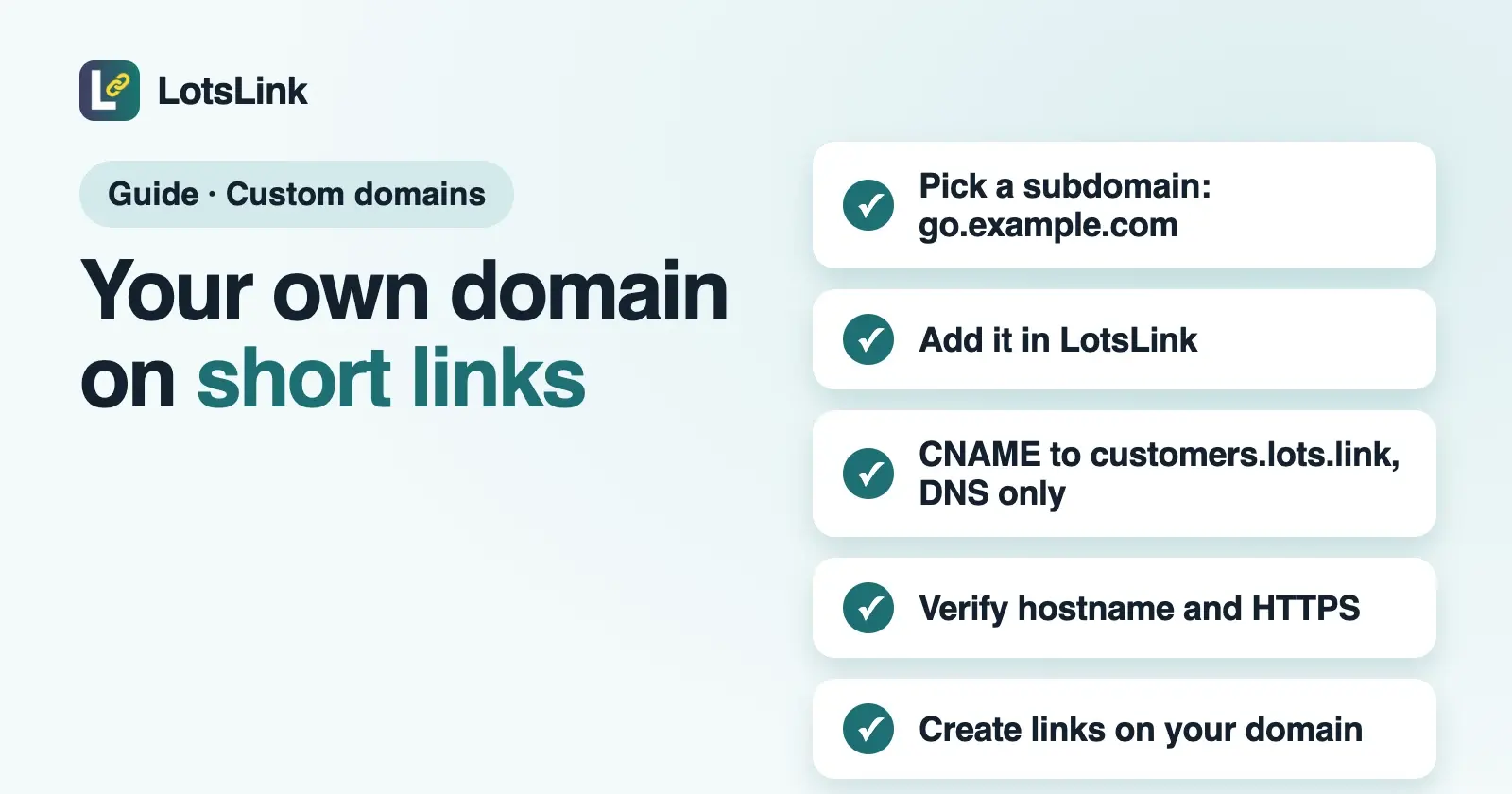
To connect a custom domain to LotsLink, add a subdomain you own, such as go.example.com, in your dashboard, then create one DNS record at your DNS provider: a CNAME from that name to customers.lots.link, with any proxy turned off. Select Verify. LotsLink checks the hostname and the HTTPS certificate, and your short links go live on your own domain.
I'll use go.example.com all the way through. Swap in your own name wherever you see it.
Why put your own name in the link
On a flyer, a receipt, a menu QR code or a text message, the short link is the web address your customer sees. go.example.com/spring-menu carries your name. lots.link/spring-menu works exactly the same way, and it's free.
That's the choice. Short links, clicks, QR codes and click analytics on lots.link cost nothing, and every account can also add one free yourname.lots.link subdomain that is ready at once with no DNS changes. Your own domain is the one paid part of LotsLink, and the rest of this page is how to set it up.
What you need before you start
- A domain you own, and a login to wherever its DNS is managed. That's usually the company you bought it from, or a separate DNS host if you've moved the nameservers.
- A LotsLink workspace where you're an owner or admin. Only owners and admins can add and verify domains. Members and viewers can see the list.
- A plan or credits behind the domain. LotsLink sets a custom domain up only when something can pay for it. With no plan and no credits, the add is refused with a funding message.
- A hostname to use, which is a subdomain of your domain. Step 1 covers the choice.
You keep the domain registration. Nothing moves to LotsLink: you add one record and leave everything else alone.
What a custom domain costs
Prices are in USD, checked on 28 October 2026 from the live pricing catalogue and the LotsLink pricing page.
| Option | Price | Custom domains |
|---|---|---|
| Free | $0 | 0 custom domains, plus one free lots.link subdomain |
| Starter | $9 a month or $90 a year | 3 |
| Pro | $24 a month or $240 a year | 10 |
| Business | $59 a month or $590 a year | 30 |
| Pay as you go | $4 a month for each domain, from credits, charged daily | Each domain you add |
Extra domains on a plan cost your plan's rate, shown on the pricing cards. Eligible new accounts get free credits when they sign up, no card, enough to run one custom domain for about a month. Links, clicks and QR codes stay free and unlimited on every option, up to 1,000 new links per person in any 24 hours. The full breakdown is in LotsLink pricing explained.
Step 1: Pick the hostname
Use a subdomain: go.example.com, link.example.com, l.example.com. Short and easy to say aloud works best, because people will type it from a printed card.
Two rules keep this simple:
- Choose a name nothing else uses. A name that already has a website, an A record or a mail record can't also carry a CNAME.
gois a common pick and is often unused. - Don't use the bare domain (
example.com). A CNAME on the root of a domain collides with the other records every domain has, such as mail records, and many DNS providers refuse it. LotsLink's setup and examples all use a subdomain, so use one.
Your website and your email are untouched, because the new record sits on a new name.
Step 2: Add the domain in LotsLink
- Sign in at lots.link, open Settings in your dashboard, and go to the Domains tab.
- In the Branded Domains card, select Add Domain.
- Choose the Custom Domain tab, enter
go.example.com(nohttps://, no path), and select Add Domain.
LotsLink then shows the DNS records to create and the domain card reads Pending. If you have no plan and no credits, the add stops here with a funding message instead: pick a plan or add credits first, then add the domain again.
A hostname can only live in one LotsLink workspace. If you see "This domain is already being used by another workspace", it was added somewhere else, and "You have already added this domain" means it's already in yours.
Step 3: Create the DNS record
Open the DNS settings at your domain provider and add this record:
| Field | Value |
|---|---|
| Type | CNAME |
| Name (or Host) | go (LotsLink shows the full go.example.com; most providers want just go) |
| Target (or Value, or Points to) | customers.lots.link |
| Proxy | Off, DNS only |
| TTL | Leave the default |
A few things trip people up here:
- The Name field. Many providers add your domain to the end for you. If you type
go.example.comand it becomesgo.example.com.example.com, change it togo. - The proxy. If your DNS is on Cloudflare, set the record to DNS only (the gray cloud). LotsLink marks the CNAME as required and DNS only for this reason.
- Old records. If
goalready has an A, AAAA or CNAME record, remove it first. A name can hold one CNAME and nothing else. - The target. Type it exactly as LotsLink shows it. Some providers add the trailing dot themselves.
- The tabs. The domain card has a DNS Records tab and a Nameservers tab. Stay on DNS Records: you add one CNAME and don't change your nameservers.
LotsLink may also list TXT records marked Optional. You don't need them to start. They are fallbacks: add the first only if the CNAME is correct but verification stays pending, and add a certificate record, if one is shown, only if the certificate stays pending.
Step 4: Verify
Back in LotsLink, select Verify on the domain card. LotsLink checks two things: that the hostname points at LotsLink, and that the HTTPS certificate for it is active. You don't buy or install a certificate. While the Domains tab is open, LotsLink also re-checks a pending domain every few seconds, so it can turn to Verified before you click.
DNS changes can take a little while to spread, and LotsLink's own message says a domain usually activates within minutes. To see what the world sees, run this in a terminal:
dig +short CNAME go.example.com
The answer should be customers.lots.link.. If it's empty, the record isn't live yet, or it's on the wrong name.
Step 5: Make links on your domain
Once the card says Verified, the domain is ready.
- In the dashboard, create a link and choose
go.example.comin the Domain list. To make it the default for new links, set Default Custom Domain under Settings, on the Preferences tab. - Pick a slug if you want a clean one. A custom slug is 7 to 40 letters, numbers, hyphens or underscores, so
spring-menuworks andmenudoesn't. Slugs containing a brand name or a word like "verify" are refused, to stop phishing. Slugs are unique on each hostname. - Make the QR code from the same link and print it. If you later change where the link goes, the short URL and the printed code stay the same, as I explain in how to change a QR code's link after printing.
Create links on the domain from the start. A link keeps the hostname it was created on, and links you already made on lots.link stay there.
When you test your first link, wait 10 seconds between clicks. A repeat visit within 10 seconds counts once, and LotsLink doesn't store visitor IP addresses, so you're reading recorded visits, not people.
Or ask your AI agent
LotsLink works with the AI agent you already use. Connect it once from lots.link/mcp, and the dashboard does the same job. Prompts that work for this setup:
Add go.example.com as a custom domain to my workspace and tell me which DNS record to create.
Verify go.example.com, then shorten https://example.com/menu as go.example.com/spring-menu.
Which custom domains does my workspace have, and are they verified?
Your agent adds the domain and reads back the record you need to create. It can't change your DNS for you, so the CNAME is still a step you do at your provider. If the domain isn't covered yet, ask it how your domains are paid for and for a checkout link. You open that link in your browser and pay there; never type card details into a chat.
If it won't verify
| What you see | Likely cause | Fix |
|---|---|---|
| Still Pending after a few minutes | The record isn't live, or it's on the wrong name | Run the dig command above. Check the Name field and the target spelling |
| Pending, and the record looks right | A proxy is on | Turn it off: DNS only |
| The name already shows another record | A name can have one CNAME and nothing else | Remove the old A, AAAA or CNAME, or pick another subdomain |
| Certificate stays pending, CNAME correct | CAA records at your domain, or an optional TXT record not added | If your domain has CAA records that don't allow the certificate provider, remove them or add the missing one. Add any optional TXT record LotsLink shows |
| "Invalid domain format" | Extra characters in the name | Enter only the hostname, with no https:// and no path |
| "Funding could not be acquired" | No plan or credits | Choose a plan or add credits, then add the domain |
Keeping the domain healthy
- Leave the record in place. If you delete the CNAME, the domain stops pointing at LotsLink. If you change DNS providers, create the record again at the new one.
- If funding runs out, existing links keep redirecting and your analytics stay readable. Only new links on that domain pause until you add credits or a plan. Links on lots.link and your free subdomain are unaffected.
- Removing a domain is possible once no links use it. Removing it also stops its billing.
If you're a founder, marketer or creator
The same setup gives every campaign link your name. Add UTM fields when you create the link, group links by project, and read clicks by source, device and location in the dashboard or from your agent. Put the domain on the links you share in newsletters, bios and ads, so the address people see is yours. Create and track short links from Claude or ChatGPT has the prompts.
If you run links for clients (agencies)
Give each client a workspace and a domain. A domain belongs to the workspace you add it in, and each one counts toward the custom domains on your plan: 3 on Starter, 10 on Pro, 30 on Business. Owners and admins add and verify domains, and everyone in the workspace, client viewers included, can read the domain list and its DNS records, which is handy when the client controls DNS. Send the client the one CNAME row, or add it yourself if you manage their DNS. Link management for agencies covers workspaces, projects and client access.
FAQ
Do I have to transfer my domain to LotsLink?
No. You keep the registration with your registrar. You only add one DNS-only CNAME record that points a subdomain, such as go.example.com, to customers.lots.link.
Can I use my main domain instead of a subdomain?
Use a subdomain. LotsLink's setup uses a CNAME to customers.lots.link, and a CNAME on the bare domain collides with the other records every domain has, such as mail records, and many DNS providers refuse it. A subdomain like go.example.com avoids all of that.
How long does verification take?
LotsLink's own message says a domain usually activates within minutes after the record is live. It checks the hostname and the HTTPS certificate. If it stays pending, check the record name, turn any proxy off and read the troubleshooting table above.
Will my website and email keep working?
Yes. The CNAME sits on a new subdomain such as go.example.com, so your website, mail records and everything else on the domain are untouched.
What does a custom domain cost, and is there a free option?
Checked on 28 October 2026: plans start at $9 a month for 3 custom domains, and pay as you go is $4 a month for each domain from credits, charged daily. Links, clicks and QR codes are free and unlimited, and every account can add one free lots.link subdomain with no DNS changes.
What happens to my links if I run out of credits?
Existing links keep redirecting and your analytics stay readable. Only new links on the unfunded custom domain pause until you add credits or a plan. Links on lots.link and your free subdomain keep working.